External Audio (>=v1.1.0)
Overview
Track8 supports class-compliant USB audio interfaces for:
- Multitrack recording
- External FX routing (insert send/returns + 8 aux sends)
- Hybrid setups — mix external gear into the master chain
⚙️ Setup
Open SETTINGS → UTILITY → AUDIO:
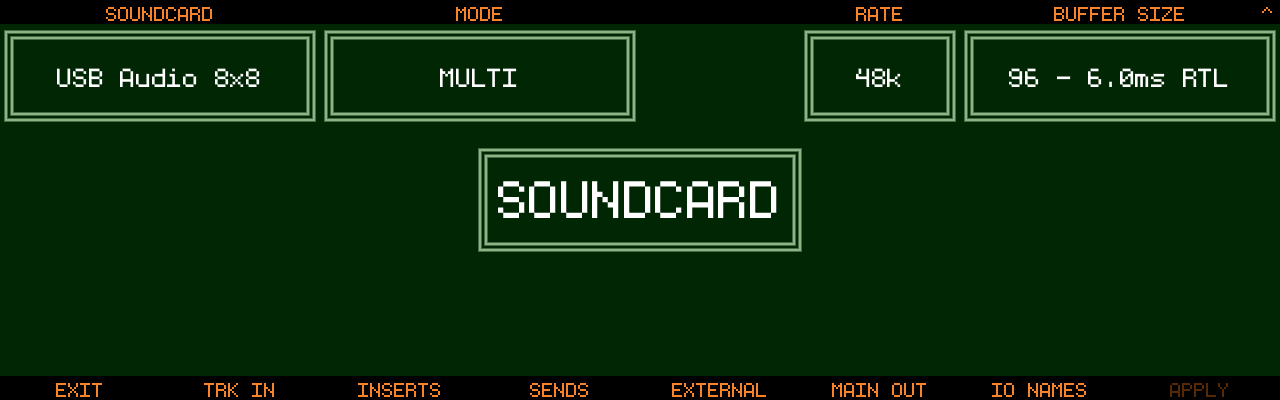
SOUNDCARD(Encoder 1): select the interface (must be class-compliant)MODE(Encoder 3):MULTIrecords multiple tracks at once,SINGLEis the classic one-track workflowHYBRID(Encoder 5, wasMONup to v1.2.3): how much of Track8’s own soundcard stays in use next to the interface (since v1.2.4-SNAPSHOT).OFF= the interface alone.MON= the main mix also plays on Track8’s headphone output (useful for rack interfaces).FULL=MONplus Track8’s own XLR / line inputs, which then appear asINT L/INT Ron every input mapping page, after the interface’s channels. Input-only interfaces start atMONRATE(Encoder 6): 48k / 44.1k (since v1.1.1)BUFFER SIZE(Encoder 7/8):96or144for external interfaces (since v1.2.4-SNAPSHOT) — USB audio travels in 1 ms packets, and only whole-millisecond buffers line up with them; the other sizes made the engine restart on every other buffer. Eight tracks recording at once with every effect on needs144. Push the encoder to switch toPERIODS(3-5, default 3) if you get crackles at your preferred buffer size (new in v1.2.1)Track Button 8(APPLY): apply changes and restart the audio engine
⚠️ 44.1kHz is a last resort (since v1.1.1). Track8 always runs at 48kHz internally — at RATE 44.1k all incoming/outgoing audio is resampled (in the worst case input/send/return/output resamples 4 times). This degrades audio quality and costs performance. Only use it if your interface cannot run at 48kHz.
🔁 Routing
Configure the channel mapping with the Track Buttons on the AUDIO settings screen:
TRK IN
- Assign an input pair per track (in
SINGLEmode: oneSINGLE INinput pair) - With
HYBRID=FULL, Track8’s own inputs are offered asINT L/INT Rafter the interface’s channels — onTRK IN,SINGLE IN, the insert return andEXTERNAL(since v1.2.4-SNAPSHOT). The two cards do not share a clock, so these two inputs are matched to the interface’s clock on the way in and arrive a few milliseconds later than the interface’s own inputs; a recorded take is shifted by that amount automatically, on top of the track’sREC OFFSET. Give them a name onIO NAMESlike any other input - Switching
HYBRIDbelowFULLkeeps a mapping that points atINT L/INT R, but it carries no signal: the mapping pages show it in brackets,(INT L), the Overview’s input indicator shows-, and an armed track records silence untilHYBRIDisFULLagain
INSERTS (renamed from Send/Returns in v1.2.1)
- Per-track insert send and insert return for external processing
- The insert send taps the track post volume/pan, pre track-FX, through the
INS SENDfader - The return is blended back in before the Track FX
SENDS (new in v1.2.1)
- Map each of the 8 aux send buses to a hardware output pair
- One channel mapped = mono, both = stereo; channels can be set to
- - Send levels are set per track on the Track Sends screen — see Effects & Mastering
EXTERNAL
- Assign up to 8 external input pairs for mixing external gear (grooveboxes, synths, mixers)
MAIN OUT
- Choose the main output channel pair
- Channels can be set to
-to disable them, e.g. when using Track8 purely as a USB soundcard front-end (since v1.2.0) ALT METRON(Encoder 8, new in v1.2.1): route the metronome to separate output channel(s). When set, the metronome is removed from the main mix and only sent there — perfect for a drummer’s cue mix. One channel = mono, both = stereo
Plugin slots (companion app)
- On iPad and Mac every loaded slot of the plugin rack (
UTILITY→AU RACK) appears as one more stereo pair on each of these pages, named after the plugin and listed after the interface’s channels — a plugin’s outputs on the input pages (TRK IN, insert return,EXTERNAL), its inputs on the output pages (insert send,SENDS,MAIN OUT). See Companion App → Plugins (since v1.2.3)
IO NAMES
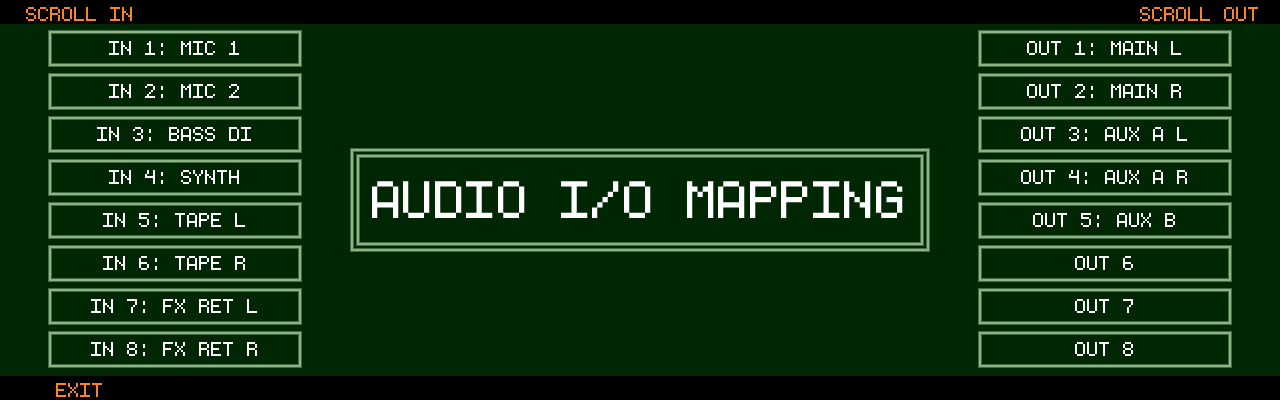
- Give your interface’s inputs/outputs readable names — they show up in all mapping screens
🎚 External Inputs Screen
Press 
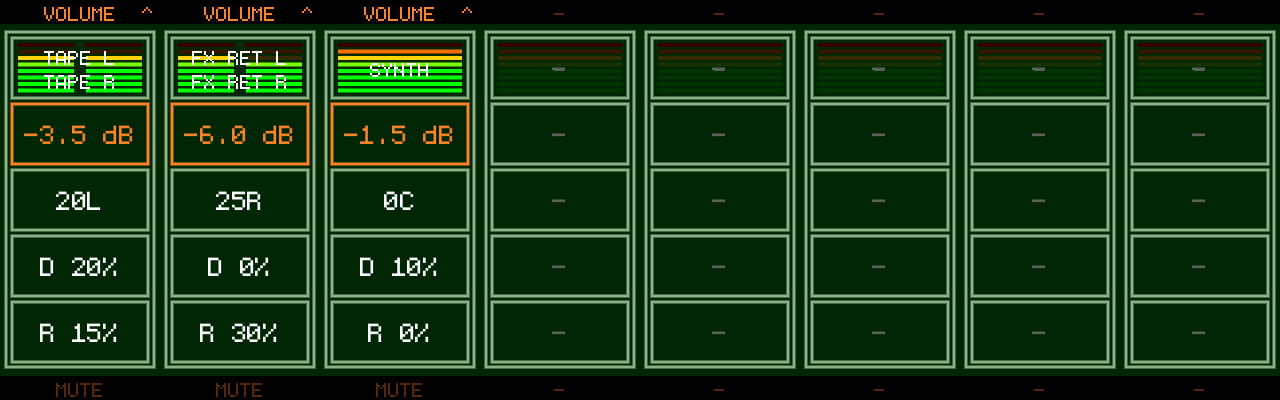
Encoders 1-8: adjust each channel — push to cycle VOLUME → PAN → DELAY SEND → REVERB SENDTrack Buttons 1-8: mute a channel- External inputs are mixed with the 8 tracks before Mastering and can feed the Master Delay/Reverb via their sends
- Copy/Cut/Paste works on all 8 channels’ values; Cut resets to defaults, Paste restores (mute states are excluded) (new in v1.2.1)
🎧 Monitoring
HYBRID=MONorFULLroutes the main mix to the built-in headphone output (MONwas a simple on/off up to v1.2.3)- Interfaces without outputs are supported (since v1.1.5) —
HYBRIDis then at leastMON, and the Inserts/Sends/Main Out pages are hidden - If the USB interface disconnects, Track8 automatically falls back to the internal soundcard
⚙️ Modes
- Multi-track → record multiple tracks simultaneously
- Single-track → classic behavior, one configurable input pair
⚠️ Requirements
- Must support 48kHz (or use the
RATE44.1k fallback, see above) - Interfaces that combine MIDI and audio in separate USB audio blocks (e.g. the Elektron Tonverk) are supported since v1.2.4-SNAPSHOT — earlier versions showed
USB AUDIO CONNECTEDbut did not list them underSOUNDCARD - Elektron Digitakt, Digitakt II, Digitone, Digitone Keys, Digitone II, Syntakt and Analog Heat MKII in class-compliant USB audio mode are set up for Linux’s implicit-feedback sync since v1.2.4-SNAPSHOT — earlier versions recorded from them but played back distorted or at the wrong speed. Built from the Linux fix verified on these boxes, not yet confirmed on a Track8; please report in #59
- The Elektron Tonverk is paced the same way since v1.2.4-SNAPSHOT — before, what Track8 played through it dropped out for a few milliseconds every few seconds, heard as a crackle
- Bus-powered: <5W
🎛 Multitrack Recording Behavior
- Arm tracks first:
- Hold
Track Button+ pressRecord - Any track can be armed; a track without an input records silence (since v1.2.4-SNAPSHOT; before, only tracks with an input could be armed)
- Hold
- Recording:
- All armed tracks start together
- With no track armed, nothing is recorded and every track keeps playing (since v1.2.4-SNAPSHOT; before, the selected track was recorded)
- A track being recorded does not play its old audio meanwhile (unless Overdub is on)
🎚 Inserts: Send, Return, Mix
A track with an insert send and an insert return mapped (the INSERTS page above) goes out to your outboard gear and comes back into the same track. Its three faders are on the Track FX 2 page (slots 6 to 8, (since v1.2.4-SNAPSHOT)):
INS SEND→ level sent to the gear, -24 to +24 dBINS RETURN→ level of the returned signal, -24 to +24 dBINS MIX→ dry/return balance (0% = track only, 100% = return only)
Each slot has a level meter, and Track Button 6 switches the whole insert on / off to compare with and without the gear. INS RETURN and INS MIX can be automated, and all three work in SINGLE mode too.
Up to v1.2.3 the return level and mix were two encoder modes of the Audio Overview (RETURN LEVEL, -60 to 0 dB, and RETURN MIX). Projects keep their values; a return level below -24 dB now plays at -24 dB. MIDI Learn mappings for the two old modes do nothing any more and have to be learned again on Track FX 2.